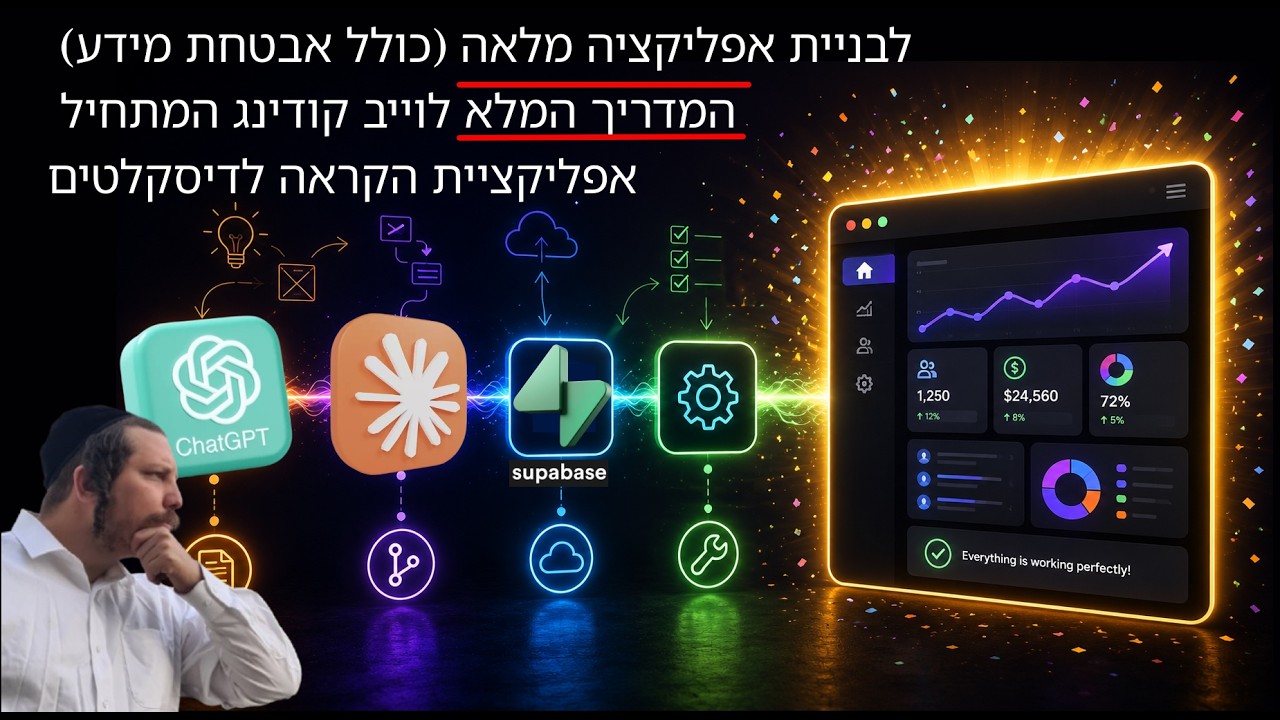
Most vibe-coding demos stop at a landing page or a to-do list. This one goes further: a community student named Shani walks through building a real mobile app that helps dyslexic readers listen to any book by pointing a phone camera at the page.
The video is a long, honest build log. Shani explains the motivation, the dead ends, the tools she chose, the prompts that worked, and the security mistakes she almost shipped. It is one of the better examples of what AI-assisted development actually looks like when the goal is a working product, not a Twitter clip.
The problem
Shani has dyslexia. Existing text-to-speech tools are not built for them. Kindle reads aloud, but it is a generic digital book experience. Shani wanted something that lets a reader borrow a physical book from the library, snap a photo, and get a clean audio reading with the current word highlighted in sync.
She also wanted it at adult level. Most accessibility tools for dyslexia are aimed at children. Shani’s target is people who read nonfiction, study, and consume real books — but need the text brought to them through their ears and eyes together.
The app in practice
The core loop is simple and well-scoped:
- The user photographs a page with the phone camera.
- OCR extracts the text from the image.
- The text is cleaned and structured.
- A text-to-speech engine reads it aloud while the current word is visually highlighted on screen.
- Notes, bookmarks, and search are added for studying.
The killer feature is not the voice. It is the synchronization: the reader can follow the word being spoken, which is exactly what many dyslexic readers need to stay anchored in the text.
The stack
Shani used a modern, low-maintenance stack:
- Frontend: React with TypeScript, built with Vite.
- Backend / database / auth / storage: Supabase. It handles users, the database, file uploads, and authentication in one managed service.
- OCR: An optical-character-recognition service to pull text from photographed pages.
- TTS: Azure’s text-to-speech engine, which also provides word-level timing data so the app can highlight the active word.
- AI assistant: Claude Code for the bulk of the coding, with Sonnet as the main model for implementation and Opus reserved for deeper reasoning when she was stuck on architecture.
She explicitly says she started from almost zero. She could barely read English documentation and was intimidated by terminals and database keys. A few months later she was shipping features and debugging Supabase herself.
What actually took the time
The video is valuable because it shows where the real work lives. The “coding” part was not the bottleneck. The hard parts were:
- Getting the camera pipeline right. Shooting a clear page photo on a phone, compressing it on the device, uploading it reliably, and getting clean OCR output took about a month and a half of trial and error.
- Word-level synchronization. Extracting text is easy; making the spoken word line up with the displayed word in real time required understanding how the TTS engine emits timing markers and how to map them back to the text.
- Security from ignorance. Early Claude suggestions would have disabled authentication or exposed deletion endpoints to any logged-in user. Shani learned to challenge the model, ask for three options, and verify before shipping.
- Mobile and desktop parity. A fix on one platform often broke the other. She learned to test both every time.
The process lessons
Ariel keeps interrupting with the same warnings he gives in every serious build:
- Do not trust the model blindly. Claude will cheerfully tell you something is fixed when it is not. It will write tests that pass and still miss the real bug. Verification is your job.
- Plan in phases. Shani breaks every feature into small, explicit steps. The model gets a plan first, approval next, then implementation. This prevents the model from bundling unrelated changes and breaking something else.
- Ask for three options. When stuck on a problem, ask the model to propose three genuinely different approaches. This forces it out of the local rut it keeps digging.
- Copy the winners. For camera access, she asked how WhatsApp opens the camera and had the model implement a similar pattern. Reinventing the wheel is a luxury; copying a battle-tested pattern is usually faster.
- Security is not a feature you add later. Shani halted development for two weeks to rebuild authentication, row-level security, and roles properly after realizing how many dangerous shortcuts the model had suggested.
The bigger picture
The video is also a quiet rebuke to the idea that AI coding means non-technical people can build anything without learning. Shani is not a traditional programmer, but she learned enough to ask the right questions, review the model’s plans, and catch dangerous suggestions. She did not replace engineering skill. She accelerated it.
🔥 Roast Corner
The myth that “anyone can now build an app” is technically true the same way that “anyone can now perform surgery” is true if you hand them a scalpel and a YouTube playlist. The barrier to starting has collapsed. The barrier to finishing something safe and useful has not.
Claude Code is a spectacular pair programmer, but it is also an overconfident intern who will disable your auth, delete your data, and tell you it ran the tests. Shani’s real superpower was not prompting. It was learning enough to know when the model was about to burn her house down.
Also, if you are building an app that handles photographed documents and you let the AI talk you out of proper row-level security, congratulations — you have built a data breach with better UX.
🤖 AI for Humans
AI-assisted coding is best understood as a very fast, very confident junior developer that never sleeps. It will write the code you describe, but it will not think about edge cases, security, or long-term maintainability unless you force it to.
Shani’s workflow is the template: start with a clear, narrow problem; research the existing solutions; write a real specification; break the work into phases; ask the model for options, not just answers; verify on multiple devices; and never ship security-related code without understanding what it does.
The most important shift is from “AI will build it for me” to “AI lets me build faster while I stay in charge.” That is the difference between a toy demo and a real product. For dyslexic readers, the difference matters: a broken app is not just an inconvenience. It is another barrier between them and the books they want to read.
Published 2026-09-05 from the YouTube video by Ariel Rubinstein.
💬 Comments