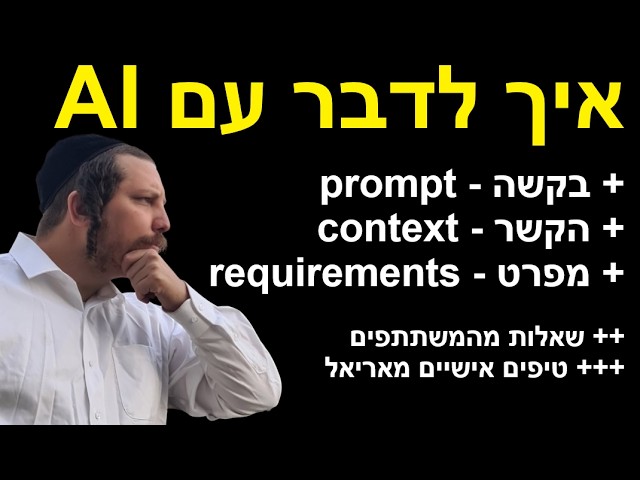
Chat, Claude Code, Codex, OpenClaw: it doesn’t matter which platform you use, they all need you to know how to talk to them. Ariel’s analogy: going to China, it isn’t enough to learn Chinese words. You have to understand the slang and the style. AI is the same. In this session (with live questions from participants) he shows what happens to the output when you change only one thing: how you ask.
The three levels
Every example in the video climbs the same ladder:
- Request (prompt): just ask. “Write me a reply.”
- Context: tell it who’s involved, what actually happened and what you’re trying to achieve.
- Requirements (spec): spell out what a good result looks like: what to include, what not to do, length, format, tone.
Example 1: the angry client and the $85K renewal
An account manager has to answer a complaint without losing an $85,000 contract renewal. (Ariel notes that in big companies, contracts of $100K–300K a year are completely normal, so this is no exotic scenario.) The client, Dana, writes that they’ve had three sync failures in two weeks, she’s already sent a reminder and nobody answered, and if there’s no fix plan by the end of the week she’ll escalate. All of it invented for the demo.
- Level 1, “write a reply”: a generic corporate apology. Lots of “I’m sorry”, and mostly it just repeats her own complaint back to her. Weak.
- Level 2, with context: “I’m the account manager, Dana is the operations manager, I forgot to answer her for two days. The failures came from a bug in our June migration. We released a partial fix yesterday that stops the stale data, the permanent fix ships next Tuesday, and our lead engineer confirms it solves it. I need to calm things down.” Now the reply apologizes for the actual two-day silence, explains clearly what happened and that it was on our side, says where things stand, takes ownership and offers a call with the lead engineer about the SLA. Real facts instead of echoes.
- Level 3, with a spec: same context, plus what Ariel actually wants. Take ownership, state the facts, offer concrete things (a Slack channel directly with the engineers, a weekly status meeting until the renewal), don’t offer discounts (the account manager has no authority for that), keep it under a word limit, no bullet points, make it sound like a human wrote it. The result is short, aimed at the goal and does exactly the two actions he wanted: Slack invite and meeting invite. The level 2 email, by comparison, was too long and offered things it had no right to offer.
Yes, everyone laughs at generic email examples. The example isn’t the point; the rule is. Context improved the overall quality. A clear spec made the output hit exactly what he wanted.
Example 2: researching a standing desk
The same method works for any research: what SSH is, how to secure a website, which desk to buy.
- Level 1, “research standing desks”: a generic overview: heights, manual cranks vs motors, brands, things people miss. Fine for a general blog post, useless for a decision.
- Level 2, with context: “I work from home as a developer, eight hours a day, I’ve started getting lower-back pain, budget is $600 (about ₪2,000), my corner is 140 cm wide, two monitors, a tower PC.” Now the AI starts thinking for you: with everything on the desk you’re around 40 kg, so the motor has to lift that, something you hadn’t considered. It suggests specific models within budget, flags one that’s above it, and addresses the back pain beyond the desk: arm height, the chair, an anti-fatigue mat.
- Level 3, with a spec: “Give me 4–5 models in a table, desk only, no accessories. A clear recommendation with a paragraph explaining why. What to check before buying. If you’re not sure, say so. Don’t guess. What you don’t know, check online.” Now it looks like an actual research summary: models, a table, a primary pick, a backup pick and a checklist.
Q&A: when more context makes it worse
A participant asked: sometimes I give it more context and the answers get less sensible than with a short prompt. What then?
Ariel’s answer: ask it why. “Why did you give me this answer? That’s not what I’m looking for. Explain yourself.” The AI can explain its reasoning, and that tells you how to fix your question or your context. Usually more context is better, but sometimes the trick is the opposite: give your idea and let it overrule you.
His live example: a weird race-condition bug with no obvious fix. He wrote his proposed solution, asked it to build a plan and fill in the context it needed itself (there were APIs it had to look at), and added: if you think my plan isn’t the best solution, say so and tell me why. It came back with a long analysis and, at the end, a fix of roughly three lines instead of his plan.
Ariel’s tips for talking to AI
- Ask it to explain its reasoning. Why did it reach that conclusion, and what’s the link between what you asked and what it delivered? You’ll be surprised how often the answer is “you asked for A” and you realize it understood B.
- Demand that it pushes back. AI is built to be your helper: it looks for ways to agree with you, flatter you and tell you what you want to hear (chat apps are even worse at this). If you explicitly say “argue with me, disagree, give me the opposite view”, it will. Sometimes the objection is garbage. Sometimes it’s eye-opening.
- Load it with context. Remind it what your app is, what each part does, who the players are.
- Give examples of output you’re happy with.
- No guessing, no assumptions. Everything it writes must come with clear evidence: from the context, from the project code, or from a web search with sources.
Ariel keeps a fixed block of standing instructions that he adds to every conversation, not just every project: work slowly, be minimalist, understand the core intent, ask clarifying questions, don’t assume, don’t overcomplicate, and bring a simple, effective solution. (In code especially, AI loves to hand you a 500-line solution.) Does it “close” every hole and stop hallucinations? No, he corrects a participant: it pushes strongly in the right direction. You still need to check and verify.
And the best part of this technology: a fridge can’t teach you how to use a fridge, and a computer can’t teach you how to use a computer. AI can teach you how to use AI. So if your prompts aren’t working, show it what you’re doing and ask it to correct you.
🔥 Roast Corner
In 2025 someone asked how much OpenAI loses in electricity from people saying “please” and “thank you” to its models, and Sam Altman answered: “tens of millions of dollars”, money “well spent”. So humanity collectively burns tens of millions being polite to a chatbot that is then trained to be polite right back, forever, in a loop of mutual flattery powered by an entire data center. Meanwhile Ariel’s top tip is the exact opposite: tell the AI to argue with you. The whole planet is paying to be agreed with, and one guy is paying the same tokens to be told he’s wrong. Honestly, only one of them is getting their money’s worth.
And let’s talk about that level 1 email. “Dear Dana, we sincerely apologize for any inconvenience, we understand your frustration regarding the sync failures you have experienced…” The AI didn’t invent that. It learned it, from thirty years of humans sending each other exactly that email. The AI’s worst answer is just the industry’s average answer, delivered faster. The scary part isn’t that AI writes like a corporate drone. It’s that you can’t tell which one wrote it.
🤖 AI for Humans
This post is about humans learning to talk to AI. Here’s the reverse: AI learning to understand humans that ordinary systems ignore. At TU Delft in the Netherlands, Professor Odette Scharenborg (Inclusive Speech Communication) and her team are building an app for people with dysarthria, a speech disorder that can follow Parkinson’s, ALS, multiple sclerosis, a stroke or a brain injury and makes speech slower, quieter or less clear. Regular speech recognition barely works for them, because it’s trained on speech that sounds nothing like theirs.
The app converts their speech to text in real time during a conversation, so both people can read along on the screen. The idea is that the speaker shouldn’t have to adapt; the technology should help the listener. The spark came at a conference test where visitors and an AI model both tried to understand one participant’s recordings, and the AI did about three times better than the humans. Future users help design it: one decided where the start button goes because he can’t reach every part of the screen, and another asked for bigger text. Each participant records hours of speech plus 100 sentences about topics they actually talk about.
The team is crowdfunding €100,000, mostly to record and transcribe much more speech data, which grants rarely cover. The goal is simple and very human. As participant Maikel Hendriks put it, the first thing he’ll do is go to the pub, order a beer and chat with people at the bar.
Source: TU Delft, “This app could help people with a speech disorder take part in society again”
💬 Comments