Last week the community got Python, VS Code and a virtual environment working for Microsoft’s LangChain for Beginners course. This lesson picks up right there: plug the course into an actual AI model, prove it answers, and write the first real piece of LangChain code. Along the way Ariel hits two bugs live, which turns out to be the most useful part of the lesson.
Back into the virtual environment
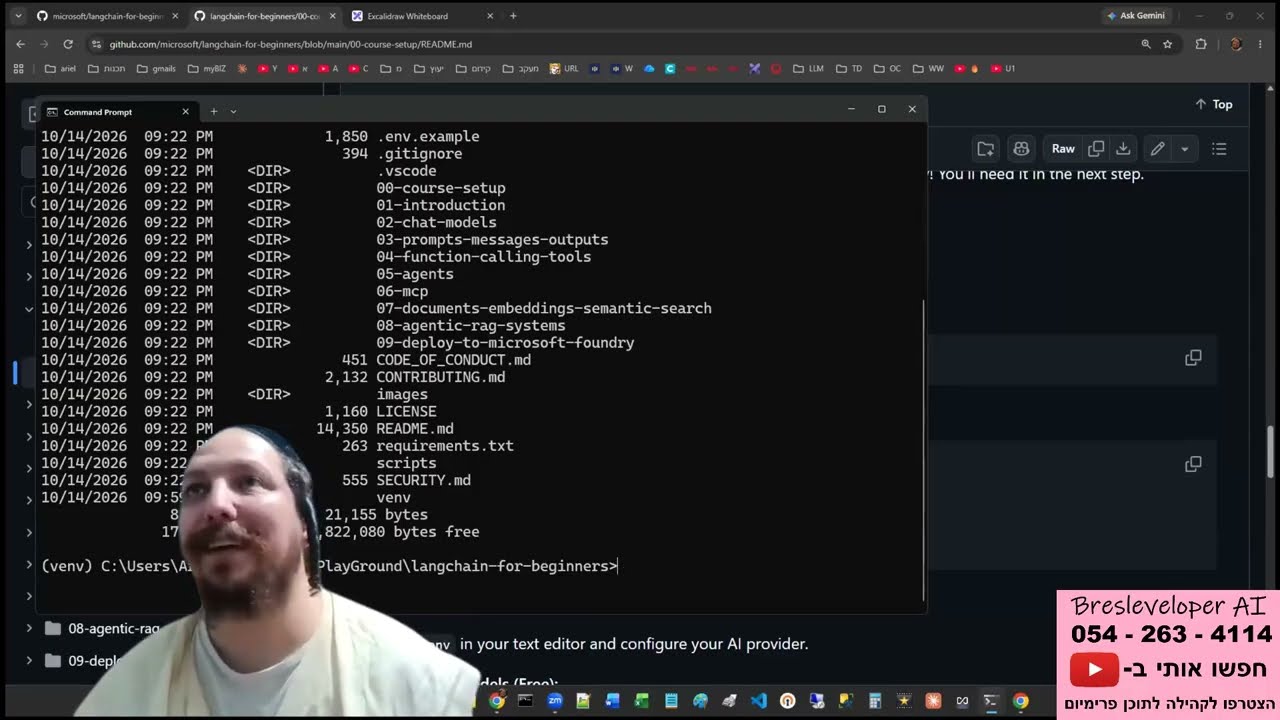
Ariel works in the plain black terminal window this time; VS Code’s built-in terminal works just as well. The first ritual is the same as last week: go to the course folder and activate the virtual environment. If you get a message that running scripts is disabled, check whether you’re in PowerShell. Switch to the regular Command Prompt (in VS Code too) and it works.
What we’re actually building
A quick refresher for the newcomers. An AI agent is a tool with three parts:
- A brain: the model you choose.
- Memory: a database, documents, or simply a file it writes to and reads back.
- Tools: reading a file, reading emails, writing or deleting files.
You give it an instruction, the model decides what to do, the tools do it, and it reports back “done.” The course plan follows that shape: first we talk to the agent, then we search with it, then we give it tools, then we teach it to work on its own, add MCP, then RAG, and finally deploy it on a server of our own. As Ariel puts it, everything you get out of the box in Claude Code, we’re going to build ourselves.
The .env file: where the secrets live
The installation already pulled in python-dotenv, the piece that reads secrets from an environment file. In Python, the standard is that a file called .env holds your passwords and keys. The course ships an example, .env.example, so you copy it into your own .env with a single command (copy on Windows, cp on Linux). Ariel’s advice: type it yourself instead of pasting. Hitting Tab to auto-complete the filename is how you learn to live in the terminal.
Then you clean it up. Lines starting with # are comments. The course pushes everything toward Microsoft’s cloud and GitHub’s models, and Ariel deletes all of that, keeping only the handful of lines that matter.
Why OpenRouter and not Azure
Why skip Azure? Ariel ran a single experiment there once and got billed $200. “They’re cheeky,” so he doesn’t trust them, even though new accounts are supposed to get some free tokens.
Instead, the course uses OpenRouter, a site that gives you access to more or less every model in the world under one key. There are a few free models, but they’re weak, limited, and they take your data for training. The real path: add credit (a one-time $10 is plenty for the course), create an API key, and pay per use. The alternative is Ollama, at $20 a month.
For the model, Ariel picks Claude Haiku 5.5. It’s good, and above all it’s the cheapest. The embedding model stays parked for now. So the .env ends up with three values that matter: the API key (the password to your provider), the provider’s endpoint, and the model name. On OpenRouter, model names always look like company/model.
Two bugs, live
Ariel runs the course’s test script, and it fails: the key isn’t recognized. The reason is a classic. OpenRouter had moved things around, and he had created a management key, which manages the account, instead of a regular API key, which makes requests. New key, new run, and now a 404. The second culprit: the endpoint must end exactly at /v1, without a trailing slash. “My mistake, with all due respect.”
Third run: “Setup successful.” He swaps the message to “setup successful, pro users,” then asks the model for a joke. Why don’t scientists trust atoms? Because they make up everything. Ariel explains the pun for the Hebrew speakers: “make up” means both “compose” and “invent.”
LangChain is a hardware store
Lesson one of the course explains LangChain with a hardware-store analogy:
- Ready-made tools like hammers and drills: prebuilt components for chats, prompts and tools.
- Raw materials like boards and paint: any LLM provider, OpenAI, Anthropic and the rest.
- Blueprints: templates for how AI apps are put together.
- Standard-size parts, like door handles that fit every door: components that work together.
In one sentence, LangChain is infrastructure for building AI products, apps and agents on top of LLMs. What it solves is uniformity. Instead of writing memory management, tool management, agent management, prompt management and every provider’s quirks from scratch, you get one consistent system: user input flows into memory, into a prompt, into an agent and its tools, into the model, and back as an answer.
Hello World: an AI call in three lines
Then the code. The file imports a few libraries, loads the .env, and creates a ChatOpenAI object. Ariel stresses that “OpenAI” here doesn’t mean the model belongs to OpenAI; it means OpenAI defined the request format that everyone now speaks. Then it’s three lines: define the model (name, endpoint, key), invoke it with a message, and print the response content. Ariel adds “David and Shani are good students” and “be cheeky” to the prompt, and LangChain explains itself in one sentence. What would take a hundred lines of raw API code, plus reading five different providers’ docs, takes three.
Homework, and how to read the code
The homework: learn to navigate the terminal to the lesson folder on your own, run the Hello World, and ask it weird questions. Ariel’s example: what would the Moon look like if you lived on Mars? (Small, says the model. Earth would look like a bright star in the morning or evening sky, and Mars has two moons of its own, Phobos and Deimos.) Or: print me an ASCII smile. Only the first part of the lesson file, though; the rest comes next time.
A participant asks whether someone who works with Claude Code even needs to understand Python. The goal, Ariel says, is to understand the code from above, not to become a programmer. If you want to go deeper, search for Python games that teach the language by playing. Then he walks through the file line by line anyway: triple quotes are comments, imports pull in code someone already wrote, load_dotenv loads everything in .env into the running script (he proves it by adding his own variable and reading it back), main is the function Python runs, and indentation after a colon is what puts code inside it.
The question that keeps coming back is the most practical one: how do I actually run it? Be in exactly the right folder, activate the environment (you’ll see (venv) in the prompt), cd into the lesson’s code folder, and run python with the file name.
What it cost
The finale is the OpenRouter dashboard. In the last three hours: 13 requests. Each one sent around 17 to 23 input tokens. The ASCII smile came back as 122 output tokens. The cost of each call is a tiny fraction of a cent, which Ariel converts into “two hundredths of an agora.” That’s why the course runs on Haiku: cheap and fun.
🔥 Roast Corner
Let’s take stock of the live debugging. Our instructor, a man who has wired AI into WhatsApp, prod servers and a small army of agents, created the one key that can manage his whole account, pasted it into a course file, and then wondered why it couldn’t say hello. When that was fixed, he was defeated by a single trailing slash. Somewhere, a junior developer just felt seen.
And the payoff for all that work? The model told a joke. Not just any joke: when two German researchers asked ChatGPT for a joke a thousand times, over 90% of the answers were the same 25 jokes, and “why don’t scientists trust atoms” came up 119 times. Three years, several model generations and one trailing slash later, AI humor has advanced exactly zero atoms. At least Ariel then explained the pun in Hebrew, which is the comedy equivalent of a 404.
The best part is the ending. The man who burns tokens like a bonfire finally looked at a bill and calculated it in hundredths of an agora. Ariel, if you ever start counting your Opus usage in that unit, we’ll need a bigger number type.
🤖 AI for Humans
What happens when you give a real AI tutor to kids in some of the most under-resourced classrooms in the world, and actually measure it? Google ran exactly that test in Sierra Leone’s Port Loko District, with partner Fab AI and the country’s Ministry of Education, funded by Google.org and the Gates Foundation. In a pre-registered randomized trial, 1,763 junior secondary students in 12 schools used Gemini’s Guided Learning mode in math class for eight weeks, alongside their regular teachers.
The result: a gain the report estimates at 1.2 to 1.7 years of typical math progress in eight weeks, and up to 2.5 years in the classrooms that used it most. Part of the reason is how it behaves. Across more than 113,000 conversations, the tutor handed out a direct solution in only about 2% of cases and mostly answered with guiding questions, and over the eight weeks the students themselves shifted from asking for answers to asking how things work. Teachers described becoming facilitators rather than lecturers. The researchers are honest about the catch: students who started stronger gained the most, and closing that gap is the next challenge.
It fits this lesson nicely. A good tutor doesn’t do your homework; it makes you run the Hello World yourself.
Source: AI In Context, “Google’s Gemini Tutor Boosted Sierra Leone Math Scores 0.258 SD” (original report: Google, LearnLM Sierra Leone study)
💬 Comments