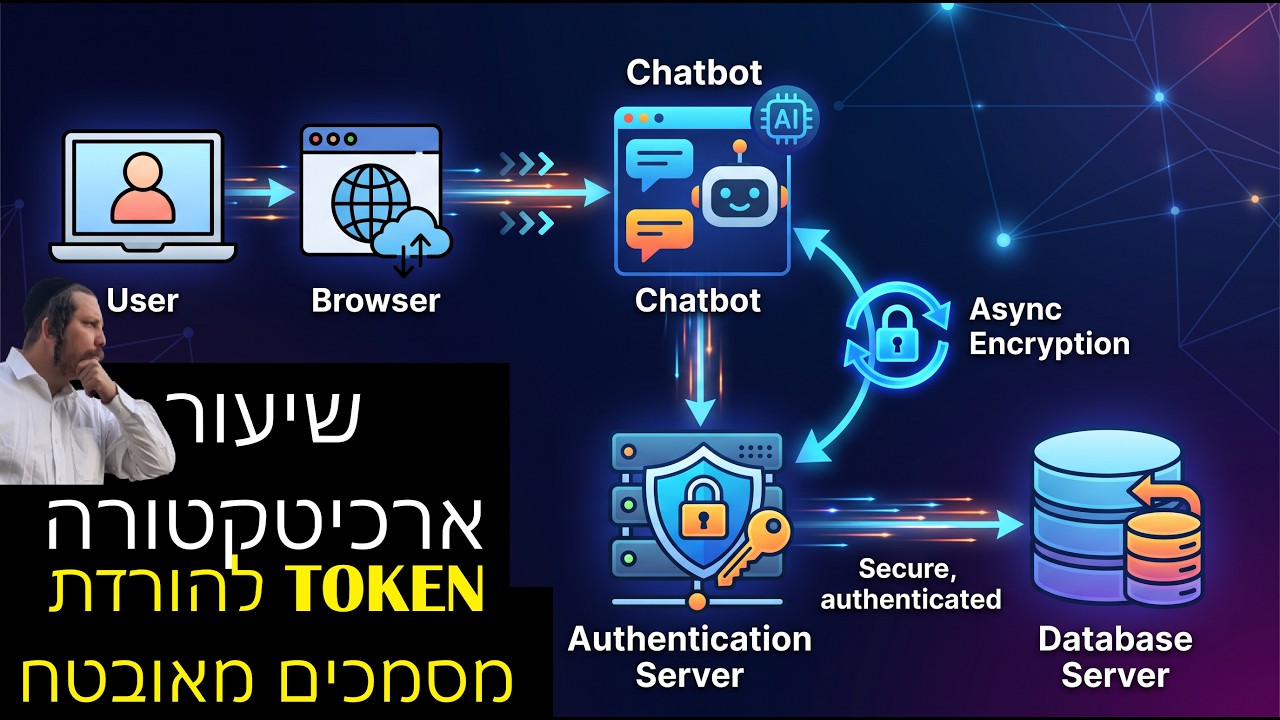
A lawyer needs to send Moshe the NDA he signed with Schnitzel Ltd. Sounds like an email attachment. It isn’t, not if you care who actually opens it. This follow-up to the secure AI bot architecture lesson designs a client portal for sending personal documents, and it’s a good tour of why “just send the link” is the dangerous part.
Who the portal is for
The portal doesn’t serve end customers. It serves your clients: lawyers, HR departments, accountants, a college course manager, anyone who manages documents for other people. A lawyer manages NDAs, HR manages signed harassment-prevention agreements, a training company manages employee certificates. One employee might have NDAs with three different companies, all handled by the same lawyer.
Two facts drive the design:
- The portal is internal and strictly authenticated. Email, password and MFA. Ariel’s recommendation: don’t build that part yourself, use an existing identity provider like Google or Microsoft 365, and you know for sure who your client is.
- The end customers are not users of your application. Moshe doesn’t have an account. That’s ultra-important, because it means you have to prove who Moshe is every single time.
Ariel is explicit about scope: this is high-level data security architecture, not GDPR advice. Doing it A to Z means bringing in whoever is appropriate for personal data, whether that’s your cloud provider or security experts.
Step 1: the lawyer picks a document
The lawyer logs into the portal, picks one document out of 100,000, and the system knows its details: it belongs to Moshe, Moshe’s phone, email, name, company, the year it was signed, the internal document ID, and whether Moshe wants his MFA code by phone or email. Without MFA, Ariel says, you can’t talk about security at all.
Then the lawyer clicks “Send to Moshe.”
Step 2: an encrypted token
The system generates a token containing all those details and encrypts it. To explain why encryption holds, Ariel goes to HTTPS: your Gmail, your bank, WhatsApp, everything you log into is encrypted. Why can’t a new, powerful computer just break it? Because of asymmetric encryption: a public key that anyone can use to encrypt, and a private key that only the server holds and that is the only thing that can decrypt. The keys are big enough that you basically will never break it.
He shows it live: open any HTTPS site, press F12, go to Security, View Certificate, and there’s the public key. Everyone has it, anyone can encrypt with it, and only the server can open the result, unless someone steals the server’s private key. You get a certificate from a provider (the lesson’s example: Cloudflare arranges one through Let’s Encrypt).
Step 3: why a link alone isn’t enough
The naive version: build a URL like yoursite.com?token=... and send it to Moshe by email, WhatsApp or SMS. The problem: anyone can call the lawyer and say “Hi, it’s Moshe, send me my NDA.” This is super sensitive information, and nobody can take responsibility for that.
So the click does two things, through Moshe’s preferred channel:
- It sends a link to a page (not a direct download page) that asks for a code.
- It sends an MFA code separately.
The link alone can’t reach the document. The code alone can’t reach the link. Only when Moshe has both together does anything open. Ariel’s real-world example: an invoice email with a portal link that asks you for a code before showing anything.
The student asks whether she needs the bank-style trick where the code fills itself in. Ariel’s answer: that only happens when a mobile app has permission to read your SMS messages. It’s not critical.
Step 4: the checks before the download
When the right code arrives with the right link, the server decrypts the token and checks everything:
- Does this document belong to this user? This company? This year? This document ID?
- Was it sent to this phone, and does the SMS code match?
- Is it inside the time window, say a link or code valid for 10 minutes?
- Is it the same user and the same phone the lawyer clicked on?
Only after all of those pass do you have a very high probability that the person asking for the document is really your Moshe. For the lawyer, the physical work ends at “send document.”
The checklist, and the most important tip
The student asks for a checklist. Ariel’s top item: after you’ve done all this, and even after you’ve had Claude scan for security issues and it found nothing serious, bring in an information security consultant and a GDPR consultant to check you, and decide with your client how far you’re willing to go.
And a tip from developer to developer: have the client sign a document stating that you carry zero responsibility for security, GDPR and the legality of the matter. You developed to the product requirements; publishing it, and getting the right consultants, is 100% their responsibility.
🔥 Roast Corner
Let’s start with the shopping advice. “You need to buy, you need to buy an encryption certificate,” Ariel explains with great seriousness, and then, as an example of where to buy it, shows Let’s Encrypt. The service whose entire point is that it’s free. Ariel, at those prices I’ll take ten. Wrap them, it’s a gift.
Then we get to the legal part, my favorite. The man spends twelve minutes building a five-layer fortress around one NDA: Google login, an encrypted token, a separate link, a separate code, a ten-minute window, checks on the year, the company and the phone. And the final tip? “Have him sign a document that you take a big fat zero responsibility.” Everything is encrypted except the developer, who is wrapped in bubble wrap. That’s not security architecture, that’s an insurance architecture.
And humanity, you’re not off the hook. We built public-key cryptography so strong that no computer on earth can break it, and the whole system still falls apart when someone calls and says “Hi, it’s Moshe.” Billions of dollars of math, defeated by a confident voice. That’s why there’s MFA. Not because of hackers. Because of people.
🤖 AI for Humans
There are more than 200 sign languages in the world and an estimated 70 million Deaf and hard of hearing people who use them, and until recently, the AI revolution in speech recognition and translation basically skipped them. In August, Google DeepMind introduced SL2T, a sign-language-to-text model that is now inside real products: sign-to-text dictation in Gboard and Live Transcribe on Pixel 11, starting with American Sign Language to English.
In practice, a Deaf user can sign to the phone anywhere they’d normally type: search the web, write messages, ask Gemini for something, or answer in a conversation without typing back and forth. The model was trained on more than 100,000 hours of data across more than 50 sign languages, and DeepMind says it worked on practical details, from streaming latency to left-handed signers and one-handed signing while holding the phone.
The link to this lesson is privacy by design. To protect users, SL2T never sends the camera video: a model on the device turns the signing into body-position points, only those coordinates go to the server for translation, and the original video can be discarded immediately. Same principle as the portal: send only what’s needed, and nothing more.
Source: Google DeepMind, “Putting sign language AI into users’ hands”
💬 Comments