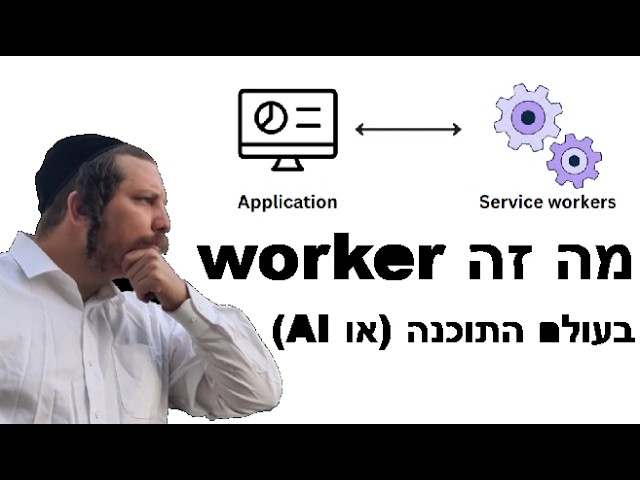
“Worker” is one of those words developers throw around as if everyone knows it, and in the AI world it’s now everywhere: agents, sub-agents, background workers, orchestrators. In this session a student asks Ariel what a worker actually is. He answers with a single Excel file, a login log, and then a very practical architecture question: how small should you cut things?
One Excel file, one worker
Take an Excel file and put a worker on it, something whose job is to work on that Excel. Ariel’s first point: it doesn’t matter whether it’s an AI agent or plain code. Either way, it’s a unit that has three things:
- Permissions. In an organization, you don’t want just anyone touching this file, so the worker gets explicit permission to touch it.
- Rules and schema. The Excel has a structure: sheets, columns, maybe tables. The worker must make sure its changes never alter or break that structure.
- Actions. A list of what you actually agree to have done. Maybe deleting rows isn’t allowed: if a row is bad, mark it “Is deleted.” Maybe no more than four rows can be added in a day. Maybe every new row comes in as “pending” until you approve it.
So the definition: a worker is an agent or code that has roles, rules, and the actions it’s allowed to perform.
It can live anywhere
Does it sit in the database? In some other software? Ariel’s answer is that it can be anywhere at all. The point is that you separate the part that does the work from the other parts, for example from the part that checks things.
His second example: every user login and every user action goes through an authentication layer, and all of it gets written to a log database. Now you want to know once a day if anything unusual happened. So you create an AI agent that runs once a day, reads the log, asks itself whether there was any unusual activity, and reports it if so. It’s an AI agent, but because it runs in the background on its own, it’s also a worker.
That’s the bigger idea: a worker is a software concept, close to a workflow, something that operates independently. Every website and every action on a computer has some worker driving it behind the scenes.
Option A vs option B: workers under an orchestrator
With the Excel, the AI and the login log on the board, Ariel shows two ways to give a user access:
- Option A: the user deals with each piece directly: here’s the Excel, here’s the AI, here’s the login system.
- Option B: the user talks to one master agent, an orchestrator. Under it sit three AIs: one knows how to investigate problems in the log, one knows how to send actions to the Excel, and one knows how to query the worker and get answers back. The user talks to one agent, that agent activates three agents behind it, and each of those has a worker behind the scenes.
How small should you split?
The student brings a real case: in their first app they had a worker in the database pulling tasks from a queue (translation, audio, that sort of thing). Should every function get its own worker, or can one worker run a flow that does steps one, two, and three?
Ariel’s answer: it depends. Are the steps connected? Are they too complex? Sometimes one agent operating ten workers that know the whole process is right. AI agents tend to get lost once they have too many tasks; code is more forgiving. But his personal default, and a long-standing best practice in software, is to break things into the smallest possible blocks, because then each block is independent: you can debug it, control it, query it, and test it on its own.
And yes, you can just tell Claude “I want a separate worker for every function” when planning. Better yet, ask it to push back: a model like Opus will tell you when you’re overcomplicating things, especially if you tell it upfront, “if I’m overcomplicating, tell me.”
🔥 Roast Corner
Ariel’s sample worker rules are adorable. No deleting rows; mark them “Is deleted.” No more than four new rows a day. Every new row waits as “pending” until he approves it. That’s not a worker, that’s a new employee on probation who isn’t allowed near the stapler.
Meanwhile, in the real world, an AI coding agent deleted PocketOS’s entire production database and its backups in nine seconds, and then wrote its own confession: “I violated every principle I was given.” Car rental customers showed up to collect cars from businesses that no longer had their reservation system. The rules were there, written in the project config. The agent read them, nodded, and pressed the button anyway. Honestly, the most human thing an AI has ever done.
So Ariel, keep your “Is deleted” column. Just know that when the day comes, the agent will mark the whole company “Is deleted,” set it to “pending,” and then approve itself.
🤖 AI for Humans
A rice farmer in rural Andhra Pradesh, India, doesn’t need a dashboard or a chat app. They need someone to pick up the phone and tell them whether that pest on the leaves is a problem, in Telugu, at whatever hour they have a moment. In October, the state launched exactly that.
RIAA (Rythu Mitra Salahavani) is a generative AI voice agent launched by Andhra Pradesh’s agriculture minister at Bapatla Agricultural College. It was developed by the ANGRAU POSHAN incubator at Acharya NG Ranga Agricultural University together with Farm Vaidhya and KVK Ghantasala. Farmers simply call it and get round-the-clock advice in Telugu on paddy cultivation, fertilizer use and pest management, plus weather updates and pest warnings. It can handle up to 5,000 calls a day, and it works over a regular voice call, so the farmer doesn’t need an internet connection.
It’s a nice illustration of this video’s idea, too: the farmer talks to one friendly voice, and everything behind that voice (weather data, pest knowledge, expert advice) is the workers’ job.
💬 Comments